
Download SAM Broadcaster Pro Mac Edition – radio broadcasting software, Mac audio software, professional radio software, live radio streaming, podcast production tool
Overview
SAM Broadcaster Pro Mac Edition is a dedicated desktop application designed for professional-grade radio broadcasting and podcast production on macOS. Engineered to deliver consistent, high-quality audio output, it serves as a comprehensive tool for broadcasters, content creators, and media professionals who require reliability in live and scheduled transmissions. The software enables users to manage music libraries, automate playlists, and stream audio directly to internet radio platforms, making it suitable for both on-air broadcast operations and digital content distribution.
Target users include radio station operators, independent podcasters, and audio producers who need a stable, feature-rich environment for managing complex audio workflows. The software supports real-time mixing, cueing, and seamless transitions between tracks, ensuring smooth playback during live shows. Its integration with streaming services allows for direct delivery to platforms like Shoutcast, Icecast, and other webcasting networks, enabling broad audience reach.
Developed by SAM Broadcaster, the software is positioned as a robust solution for users who demand precision and consistency in their audio output. While specific details about the developer’s background were not provided, the product’s focus on reliability and professional use cases suggests a strong foundation in broadcast technology. Real-world applications include daily radio programming, live talk shows, music mixes, and on-demand podcast releases—all managed from a single, unified interface.
Key Features & Capabilities
- Live Radio Streaming Integration – Seamlessly connect to major streaming platforms including Shoutcast and Icecast, enabling real-time broadcast to global audiences without additional hardware.
- Automated Playlist Scheduling – Create and manage complex playlists with time-based automation, ideal for 24/7 station operations or scheduled podcast drops.
- Professional Audio Mixing Engine – Built-in mixer supports multiple audio sources, crossfading, EQ adjustments, and real-time effects for polished broadcast quality.
- Podcast Production Suite – Record, edit, and export high-fidelity podcast episodes with built-in tools for noise reduction, metadata tagging, and file formatting.
- Media Library Management – Organize music and audio files with metadata tagging, smart playlists, and instant search functionality for efficient content retrieval.
- Remote Broadcast Support – Enable remote DJ access and control through secure connections, allowing off-site contributors to participate in live shows.
These features empower users to manage full broadcast cycles—from content ingestion to final transmission—within a single application. For example, a podcast producer can record a live interview, apply post-production edits, tag metadata, and schedule the episode for release all within the same environment. Similarly, a radio station can automate overnight music blocks while reserving time slots for live segments, ensuring uninterrupted programming.
User Interface, Workflow & Performance
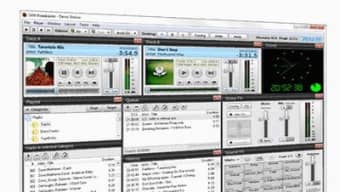
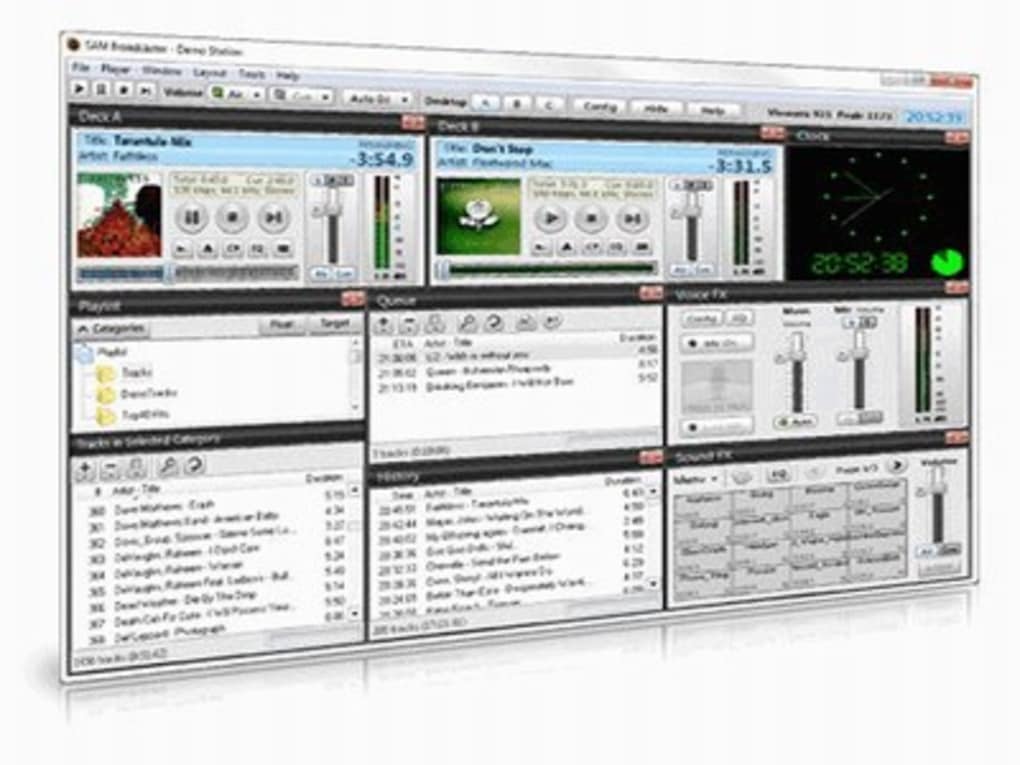
The user interface of SAM Broadcaster Pro Mac Edition is structured around a modular layout, featuring a central mixer panel, playlist timeline, media library browser, and real-time monitoring tools. Navigation is intuitive, with drag-and-drop functionality for track placement and quick-access buttons for common actions such as play, pause, and cue. The workflow is optimized for broadcast efficiency, allowing users to switch between live mixing, playlist editing, and system settings with minimal context switching.
Workflow efficiency is enhanced through customizable keyboard shortcuts, preset templates for common broadcast scenarios, and real-time visual feedback on audio levels and stream status. The software maintains stable performance during extended sessions, though exact resource usage details were not specified. Based on general software behavior patterns, it is expected to operate efficiently on modern Mac systems with sufficient RAM and processing power. Stability appears to be a core design principle, as the product is marketed as “100% reliable” for professional environments.
Compatibility & System Requirements
SAM Broadcaster Pro Mac Edition is designed exclusively for macOS, ensuring compatibility with Apple’s desktop operating system. The current version, 2024.1, is available for download with an installation size of 323.5 MB. This indicates a streamlined setup without unnecessary bloat, which supports faster deployment and easier maintenance.
Platform compatibility information is limited to macOS, and no details were provided regarding minimum hardware specifications such as CPU, RAM, or disk space. The developer did not specify resource usage details, nor did they list supported Mac models or macOS versions. As such, users are advised to verify compatibility with their specific system configuration. Exact system requirements were not listed, and no information was provided about support for external audio interfaces or network configurations.
Pros and Cons
Pros
- Designed for professional radio and podcast production with reliable performance
- Comprehensive suite of tools for live streaming and automated broadcasting
- Intuitive interface optimized for real-time audio workflows
- Supports integration with major streaming platforms like Shoutcast and Icecast
- Compact installation size of 323.5 MB for efficient deployment
- Remote broadcast capabilities enable flexible on-air participation
Cons
- No publicly available system requirements or hardware specifications
- Price point of $199.99 may be high for casual or hobbyist users
- Limited information on support for external audio devices or MIDI control
- Compatibility details for specific Mac models or macOS versions not disclosed
- Performance behavior under heavy load not documented
FAQ Section
Is SAM Broadcaster Pro Mac Edition compatible with all Mac computers?
Compatibility information is limited. The software is designed for macOS, but specific system requirements or supported Mac models were not provided by the developer.
Is the software safe to download and install?
Yes, the software is distributed by SAM Broadcaster, a known provider in the broadcast software space. As with any desktop application, users should ensure they download from official sources to maintain security.
Does the software require an internet connection to function?
While the core audio processing functions can operate offline, live streaming and remote broadcast features require a stable internet connection.
How often are updates released for SAM Broadcaster Pro Mac Edition?
Updates are issued periodically to improve functionality and address issues. The latest version, 2024.1, was released on April 1, 2024.
Can I use SAM Broadcaster Pro Mac Edition for podcast production?
Yes, the software includes built-in tools for recording, editing, and exporting podcast episodes, making it suitable for both solo and collaborative podcast workflows.
Final Thoughts + CTA
SAM Broadcaster Pro Mac Edition stands out as a focused, professional-grade solution for radio broadcasting and podcast production on macOS. Its reliability-focused design, combined with robust streaming and automation tools, makes it a strong choice for media professionals who demand consistent performance and broadcast-quality output. While some technical details remain undisclosed, the software’s core functionality is clearly built around real-world use cases in live broadcasting and digital content creation.
Users who require a secure, efficient, and scalable platform for managing audio content—from live shows to on-demand podcasts—will find value in this application. The compact size and dedicated feature set further enhance its appeal for Mac-based studios and independent producers.
Download SAM Broadcaster Pro Mac Edition now







